 ExplainThisDoc
Scan and forget: file letters without folders, find them later
Every letter asks for a small decision: where does this go? That is where most filing systems fail. The pile grows, the photo disappears among holiday pictures, and when you need the letter, the search begins. ExplainThisDoc works on a different principle, “scan and forget”: capture a document once, get on with your day and find it again when you need it. This how-to shows step by step what that looks like in everyday life and what the app takes care of.
The mail arrives: scan it and move on
Tap “Scan” in your archive. The camera finds the page edges, and you capture a multi-page letter one page after another. Once you save, you are back in your archive while processing continues in the background. With “+” you can also add files, photos, typed text or emails.
You don't pick a folder or type a name. Even without an analysis, every document gets a title: a scan its date and time, a file its file name.
For a sharp, complete scan, see How to scan a document with your iPhone.
The app does the sorting
After a scan, the app recognizes the text on your device. The analysis then gives the document a meaningful title, a document type such as invoice, notice or medical report, and a summary. In your archive, each analyzed document shows an icon for its type and a colour for its area, so you can tell tax mail, insurance letters and medical reports apart right in the list.
The free Light analysis runs with Apple Intelligence on supported devices and in supported languages. The full analysis with Pro explains in more detail and also finds deadlines, tasks and warning signs: 1 credit per analysis. With “Archive only” under Settings → Document analysis, you just collect and analyze later when you need to.
Weeks later: find it instead of searching for it
Your insurer asks for the invoice, your landlord for the statement. Instead of leafing through folders, type what you remember into the search field: a topic, a document type such as “invoice” or a word from your notes. The search covers titles, summaries, document types and notes. Filters narrow the list by area, period, deadlines or risk, and a calendar shows which documents are due or were imported on a given day.
For an exact amount or sentence, open the original: the search inside the document covers its full text, including scans, and highlights the matches. The archive search itself does not go through every word of every original.
When it matters: understand instead of puzzling
Tap a document to open its explanation, double-tap to open the original. Both stay together, even months later. Before a doctor's appointment, open your earlier reports and the questions you noted. When a new notice arrives, link it to the previous one so the whole case stays together.
If Pro has found a deadline, tap “Add to calendar”: the app fills in the event and you confirm it. For any other document, swipe left in your archive and choose “Remind” to create a calendar entry, for example for tomorrow or in a week.
What you can forget and what you can't
- You can forget: folders, file names and re-sorting. The archive stays useful without upkeep.
- Don't forget: deadlines, payments and replies. ExplainThisDoc does not send its own notifications; your reminder is the calendar entry you create.
- Originals: still keep certificates, notarized documents and other important papers. The guide on which documents to keep shows which ones.
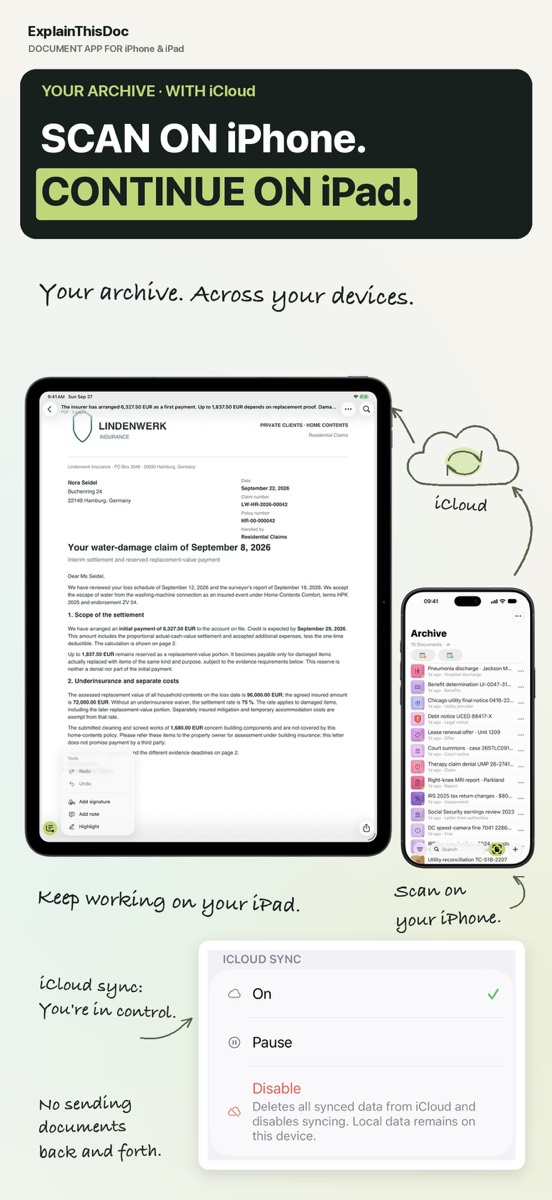
- Back up: if you turn on iCloud Sync, your archive is on your devices signed in with the same iCloud account. “Archive export” in the archive's “⋯” menu saves the whole collection as a ZIP file.
Start with your next letter
Snap or import
Scan a document or bring in a photo or PDF. No sign-up, no folders.
Understand it in plain words
Light analysis, free on your device¹. In depth with Pro: 1 credit per analysis.
Find it when you need it
The original, the explanation and your notes stay together in your archive.
- No sign-up
- No subscription
- Start right away

 Scan with your iPhone camera
¹ With Apple Intelligence enabled on a supported device and in a supported language.