 ExplainThisDoc
Link related documents on iPhone and keep a matter together
A notice rarely comes alone. Your objection and the reply follow, and a lease gathers new statements every year. In ExplainThisDoc you link documents that belong together. From any one of them, you reach the others with a tap instead of searching your archive again.
Link instead of sorting into folders
In a folder system, each document sits in exactly one place. Many documents belong to more than one matter, though. A link connects documents without moving them: each stays in your archive on its own and also shows what belongs with it. One document can be linked to several others.
Typical connections are a notice with your objection and the authority’s reply, a lease with service charge statements and an electricity bill, or a trip with the booking, tickets and a traffic fine from your holiday.
You decide which documents belong together; the app does not link anything by itself. Duplicate imports are a separate matter: the archive filter Duplicate groups shows them.
Link documents in the archive
Start in the archive with one of the documents that belong together.
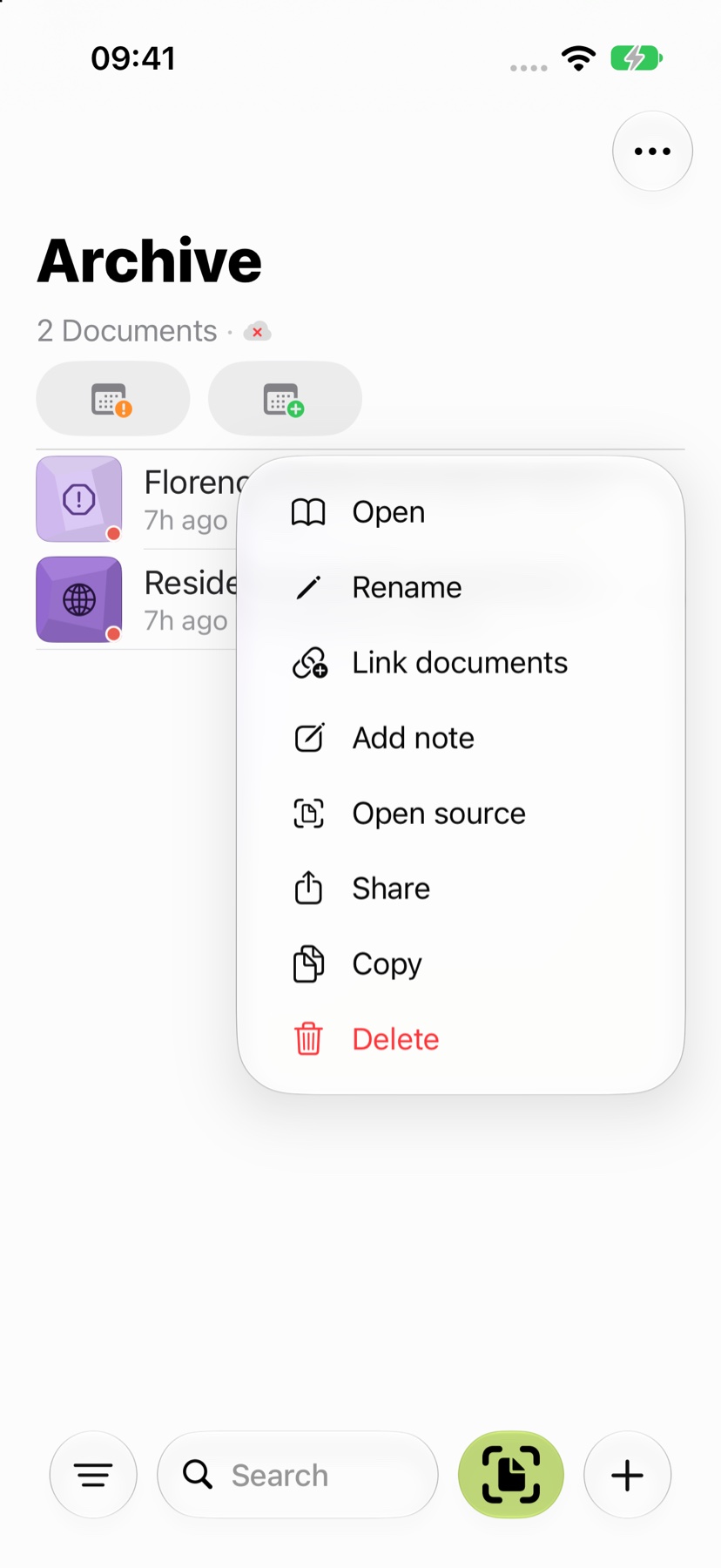
- Tap the actions button with the three dots next to the document and choose Link documents.
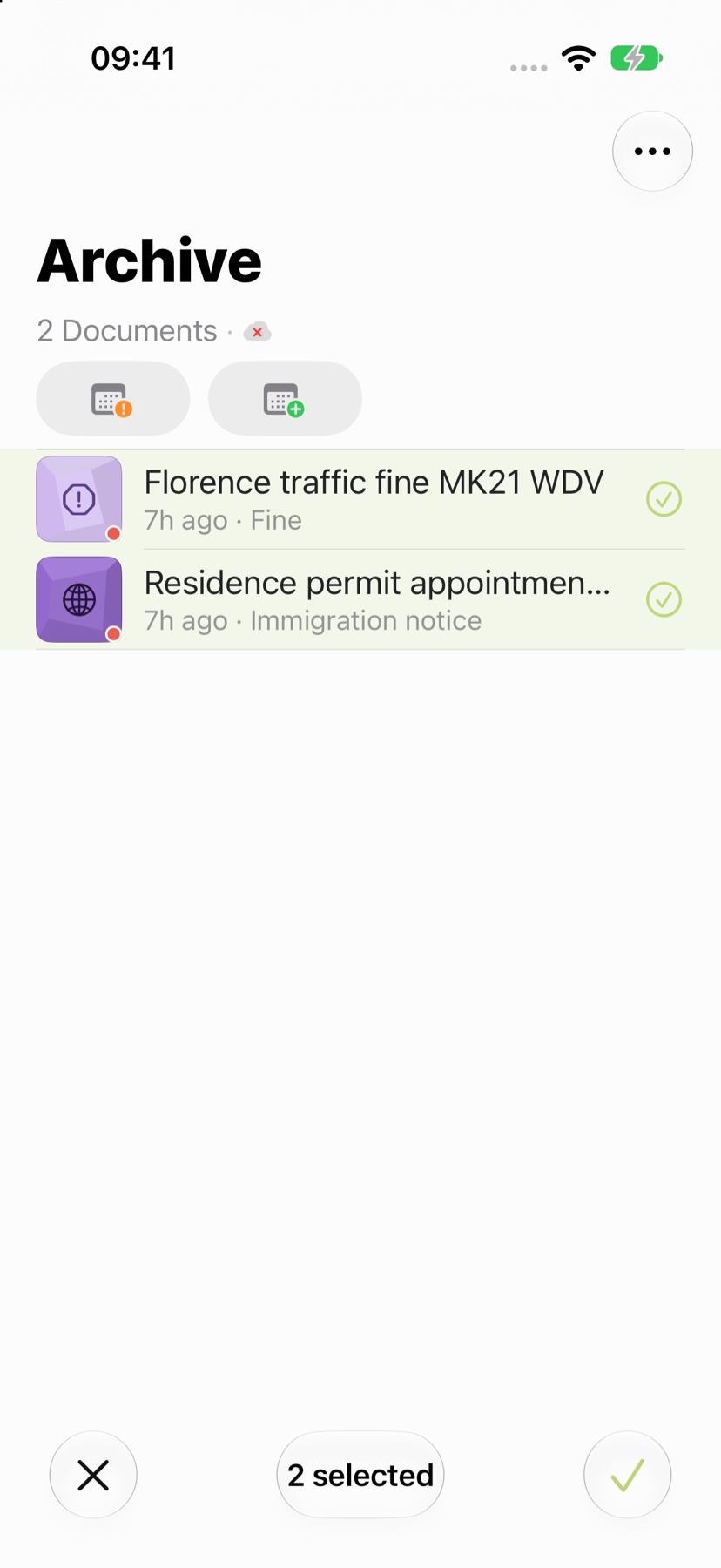
- The archive switches to selection. The document you started from is already selected.
- Tap the other documents that belong with it. At least two documents must be selected in total.
- Confirm with the check mark at the bottom right. The X at the bottom left cancels the selection.
Read the list and graph of links
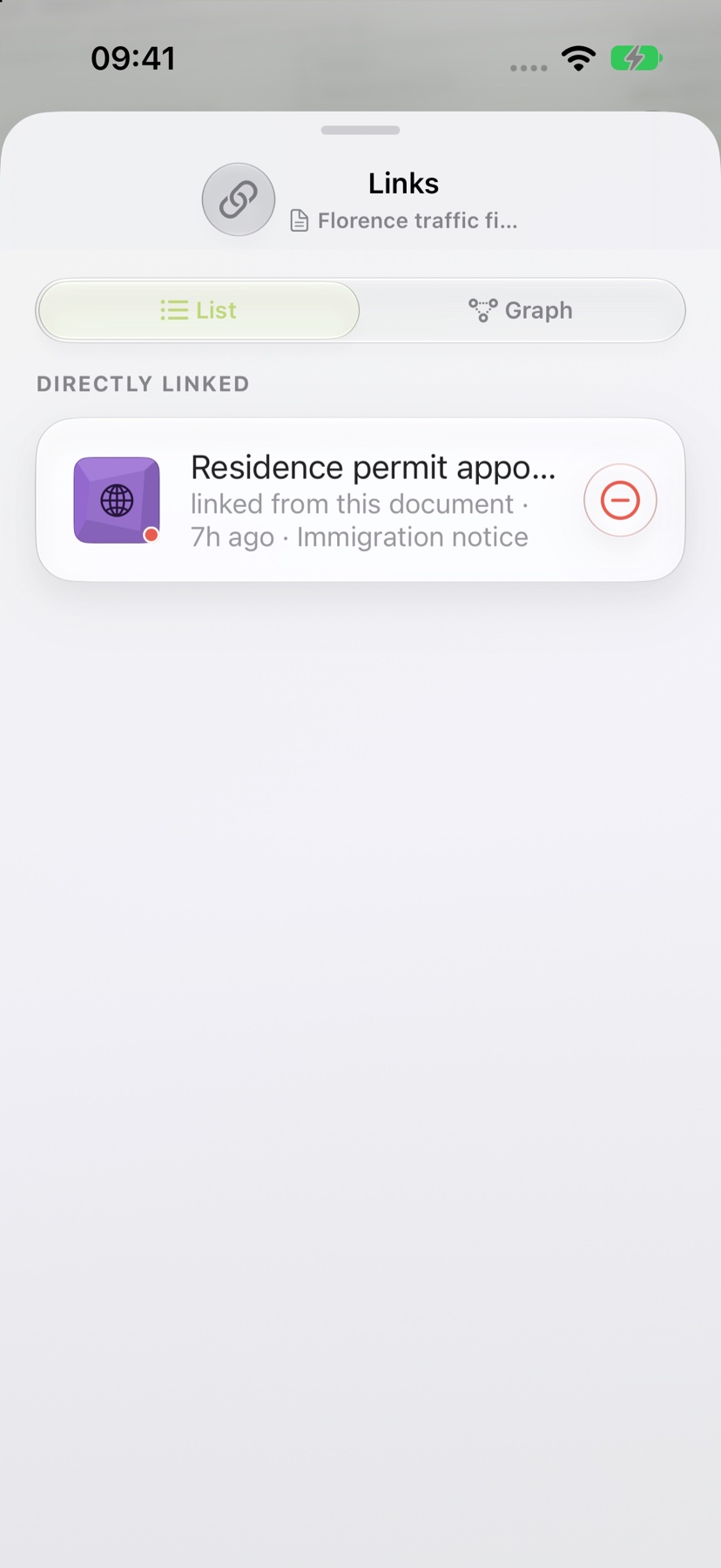
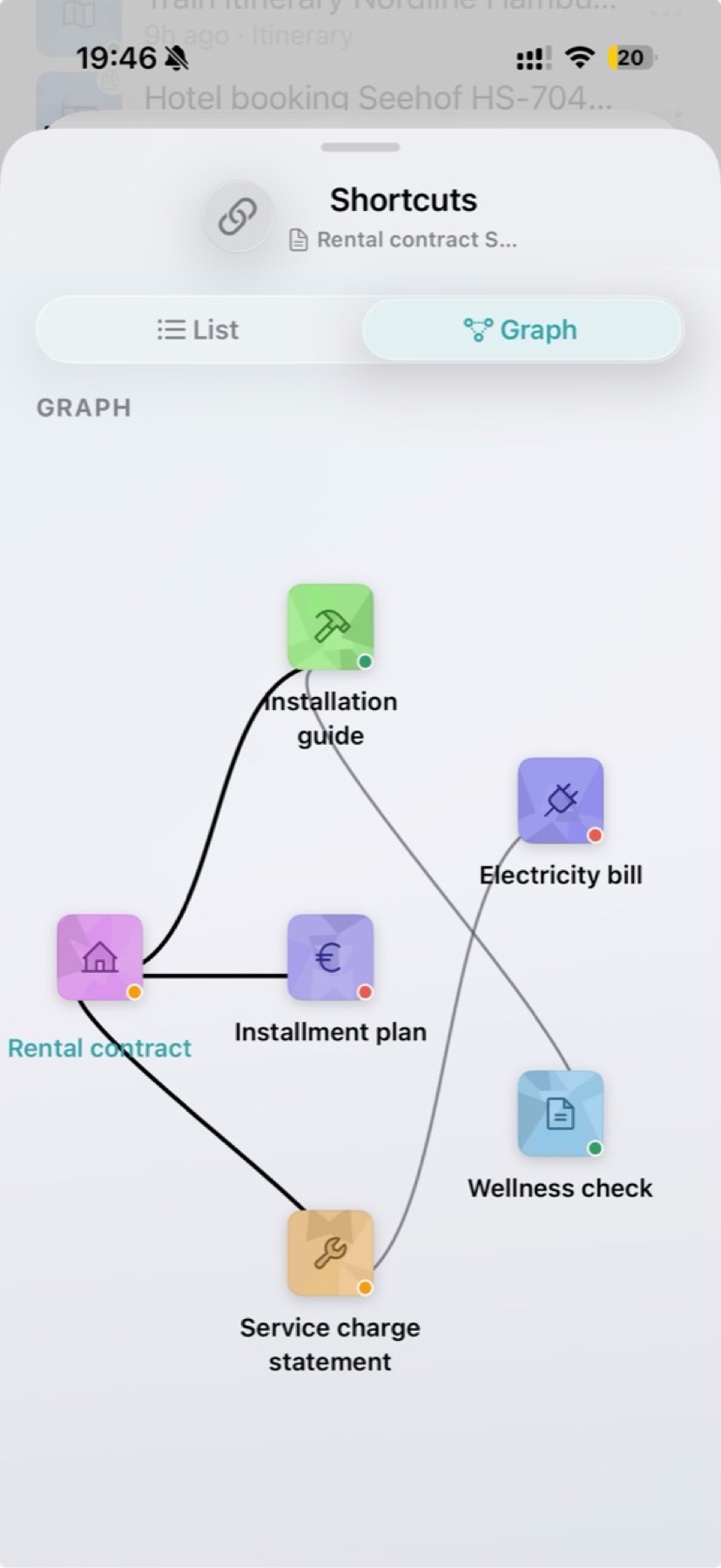
The Links view has two tabs. In List, Directly linked shows every document connected straight to the open one. Each row names the direction: “linked from this document” means the link was set here; “links this document” means the other document points to this one.
Indirectly linked shows documents you reach through another document, with the path, such as notice → objection → reply. Tap a row to open that document.
The Graph tab shows the same connections as a network, up to two steps from the open document. To remove a link set from this document, tap the minus button in the list.
Jump straight from the explanation
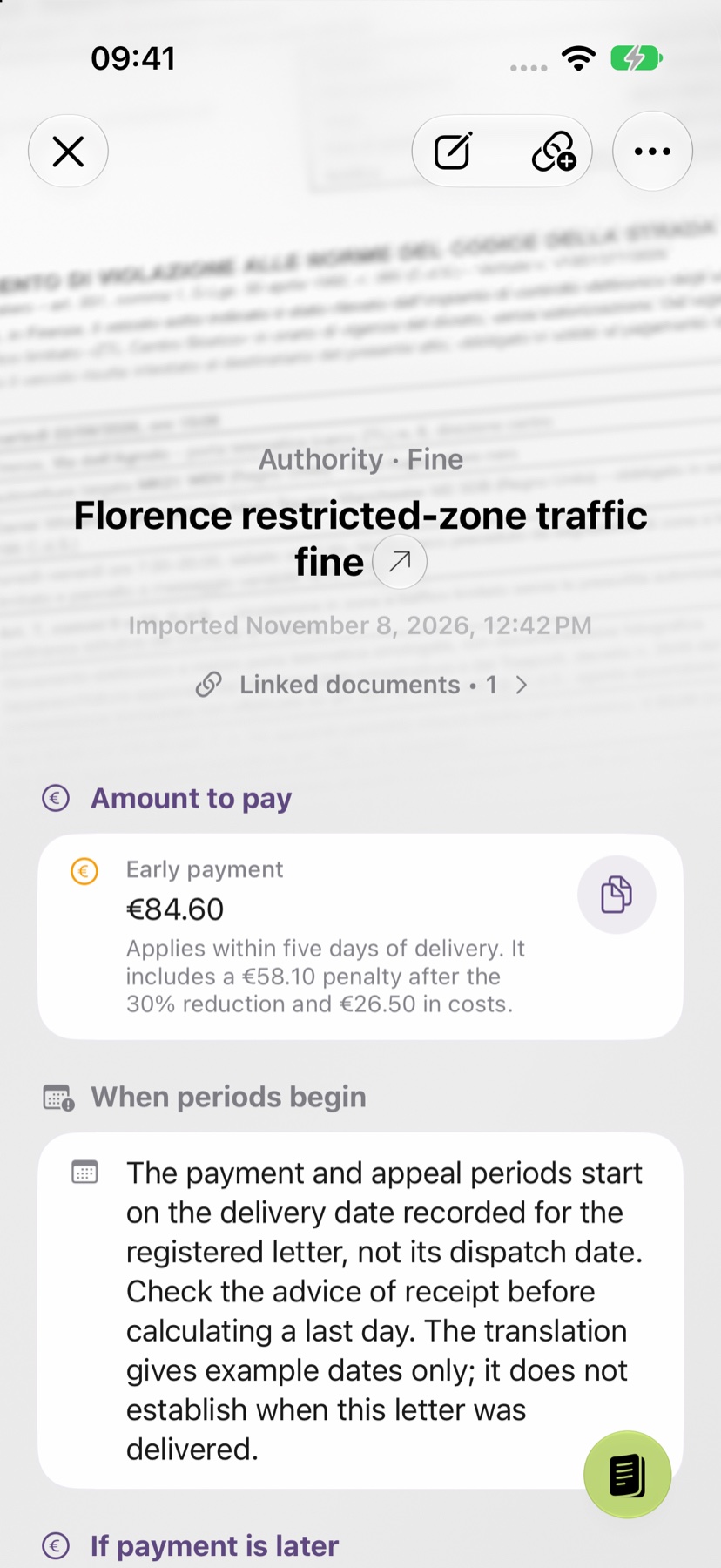
When you open one of the linked documents later, Linked documents and the count appear below the title of its explanation. Tap it to open the links, then tap the document you need. The button with a chain and a plus sign in the top bar opens the same view.
When a question comes up, every document of a matter is close at hand: the objection next to the notice, the statement next to the lease, the ticket next to the booking. To find a document in the first place, see the guide to finding your documents.
Keep every document of a matter together.
Snap or import
Scan a document or bring in a photo or PDF. No sign-up, no folders.
Understand it in plain words
Light analysis, free on your device¹. In depth with Pro: 1 credit per analysis.
Find it when you need it
The original, the explanation and your notes stay together in your archive.
- No sign-up
- No subscription
- Start right away

 Scan with your iPhone camera
¹ With Apple Intelligence enabled on a supported device and in a supported language.