 ExplainThisDoc
Understand your medical report: MRI and blood test in plain words
“Grade 2 chondrosis”, “Baker’s cyst”, “ferritin low”: a report often arrives before you can talk to your doctor, and searching online tends to make the worry bigger, not smaller. This guide shows how to read a report step by step and how ExplainThisDoc explains medical terms in plain words. You go to your next appointment with your reports and your questions ready.
How a report is structured
A radiology report usually has three parts: the reason for the exam, the findings (what can be seen) and the impression (what it means in summary). The impression is the most important part, so read it first. Lab reports are tables with a value, a unit and a reference range. A value outside the range is flagged; what it means for you is for your doctor to put in context.
You can see how this works with a real report in our CT report story.
Medical terms in plain words
In the example, ExplainThisDoc explains what a grade 1 sprain, grade 2 chondrosis and a small bone bruise mean, and lists the follow-up the report mentions. The explanation follows the order of the report, so you can find every statement in the original. The free Light analysis gives a summary on supported devices; the Pro explanation goes into each term in more detail.
The explanation appears in your app language – helpful when the report is in a language you read less easily.
Blood test results put in context
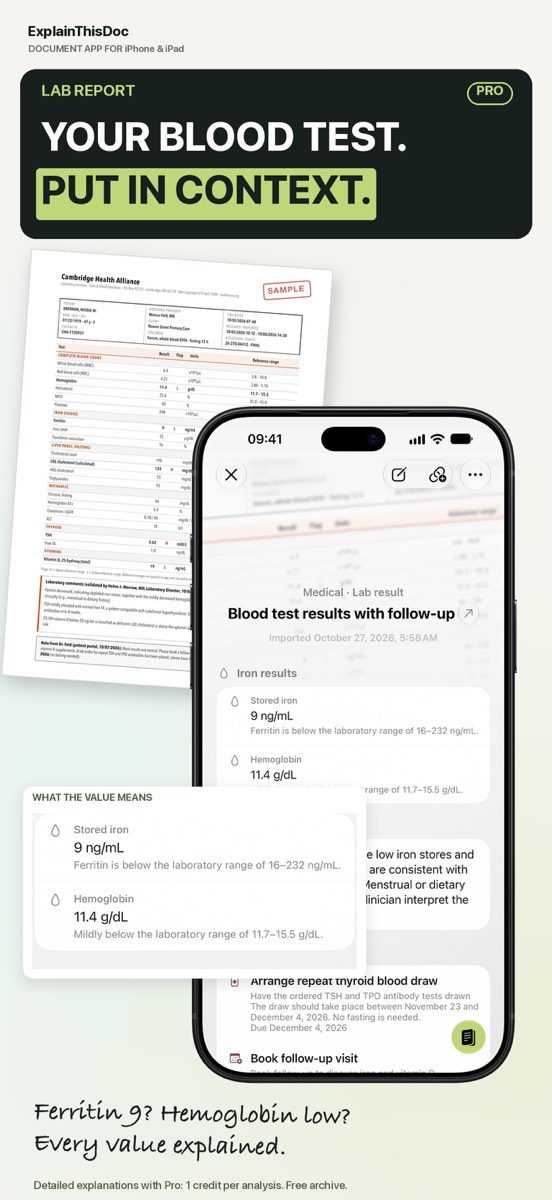
For a lab report, the explanation goes value by value: what does ferritin or hemoglobin measure, and how does the result compare with the lab’s reference range? In the example, it shows that stored iron of 9 ng/mL is below the lab’s range. See how different AI models explain the same lab report in our blood test comparison.
Home from the hospital: what matters now
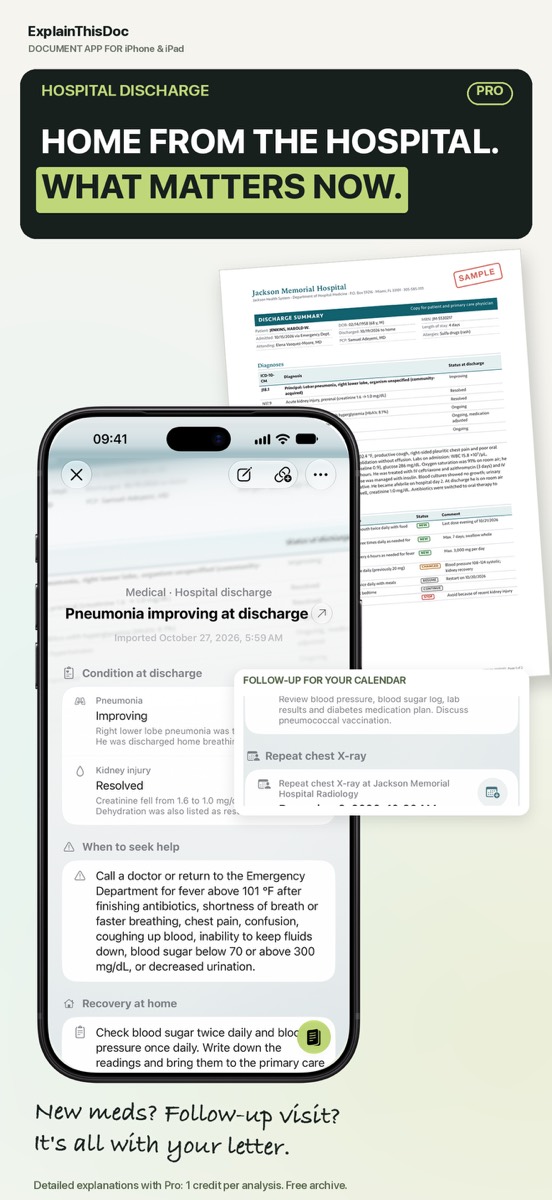
A discharge letter lists new medication, follow-up visits and when to seek help. ExplainThisDoc summarizes them, and recognized appointments – in the example, a repeat chest X-ray – become a prepared calendar entry.
Ready for your next appointment
Write your questions right next to the report: the note stays with the original and the explanation in your archive. Before your next visit, search “MRI” or “lab” and have earlier reports and your questions together on your iPhone.
Important: the explanation helps you understand, but it is not a diagnosis and does not replace your doctor. Light analysis stays on your device; for Pro, recognized document text is sent to the AI provider you choose.
Get your next medical report explained
Snap or import
Scan a document or bring in a photo or PDF. No sign-up, no folders.
Understand it in plain words
Light analysis, free on your device¹. In depth with Pro: 1 credit per analysis.
Find it when you need it
The original, the explanation and your notes stay together in your archive.
- No sign-up
- No subscription
- Start right away

 Scan with your iPhone camera
¹ With Apple Intelligence enabled on a supported device and in a supported language.