 ExplainThisDoc
Understand a tax notice: amount due, changes and next steps
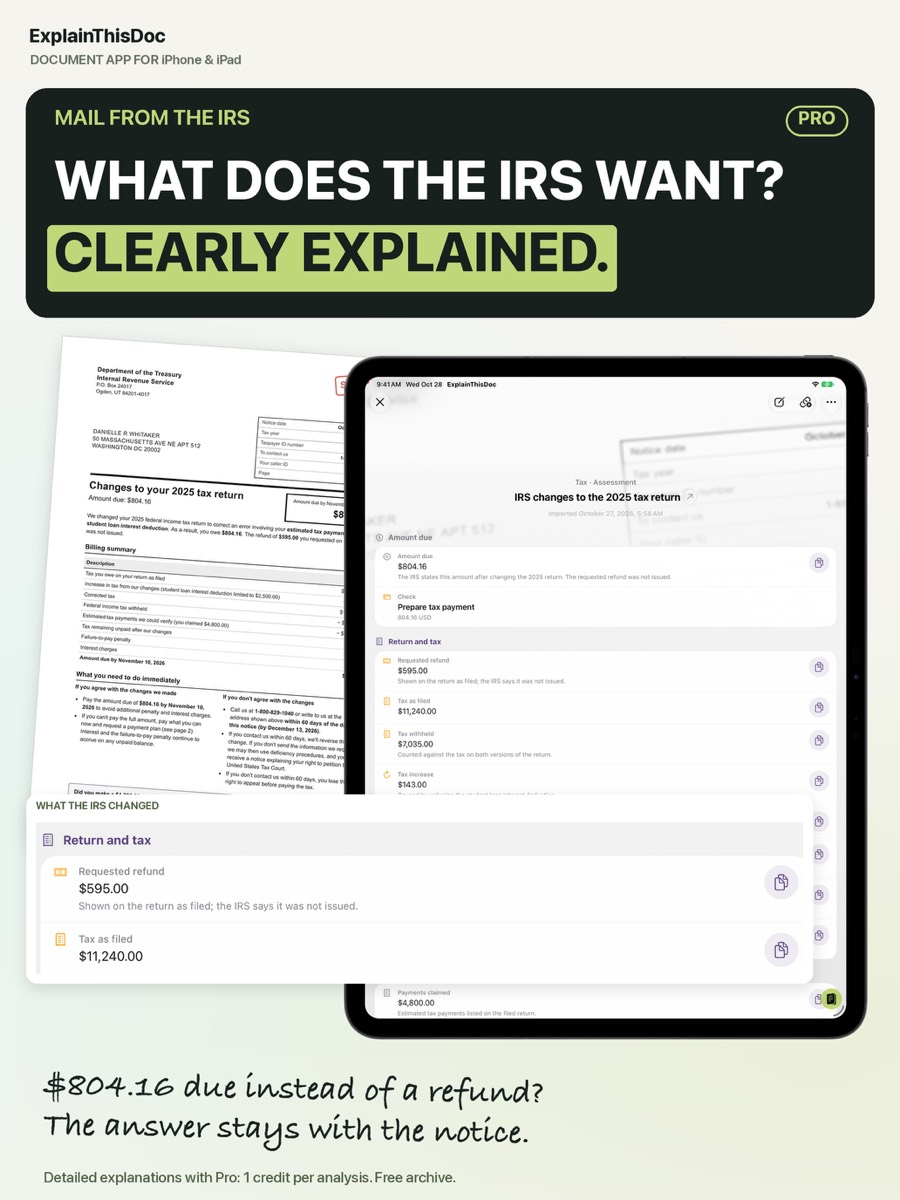
A notice says the IRS changed your return: $804.16 due instead of the refund you expected. What changed, and is it right? Tax notices follow a fixed structure, and once you know where the changes are explained, you find the answer in minutes. This how-to walks you through the notice and shows how ExplainThisDoc explains it.
How a tax notice is structured
The top shows the tax year, the notice date and your reference numbers. Next comes the summary: the amount due or the refund. Below it, the agency lists what it changed and why, followed by what you need to do and your options if you disagree.
Find what was changed
Put your filed return next to the notice and compare line by line: estimated payments, credits, deductions. Changes often come from payments that were not matched, or deductions that were not accepted.
ExplainThisDoc puts the result first and explains each change in plain words. In the example, the explanation lists what the IRS changed on the 2025 return, including estimated tax payments and a deduction, which leads to the $804.16 now due.
Respond in time
The notice tells you what to do if you agree, and how to respond if you do not – usually with a deadline. If you disagree, gather your records first, such as payment confirmations. Contact the agency using the details on the notice, and check them against the official website. A tax professional or a free tax clinic can help with larger amounts.
Pay or plan the payment
With Pro, ExplainThisDoc gathers the amount, due date and payment options in one place, and you can turn the due date into a prepared calendar entry.
File it and find it next year
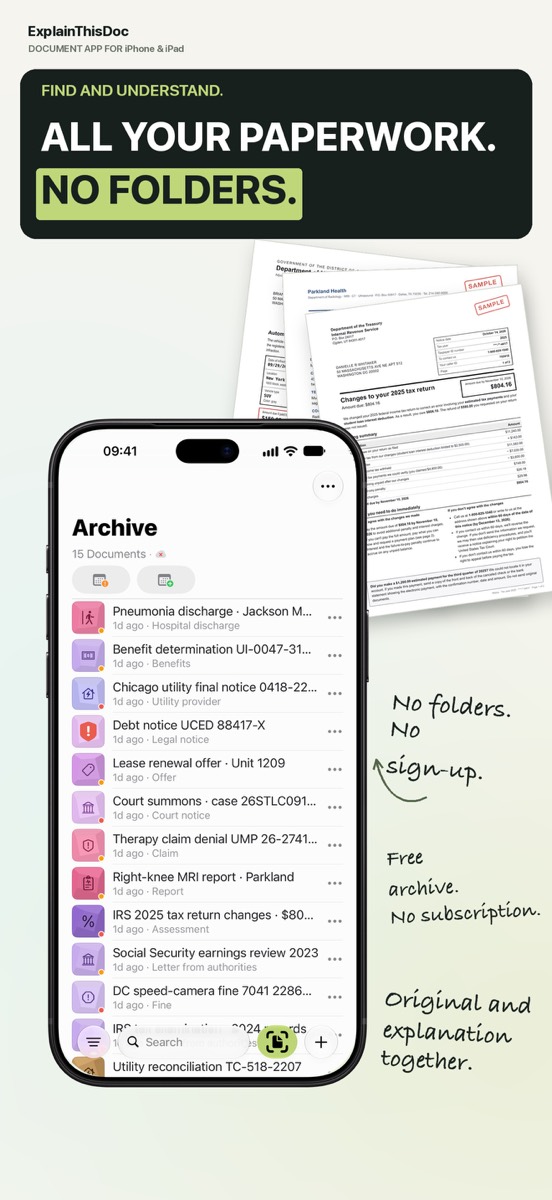
You will need the notice again for next year’s return or if a follow-up letter arrives. Search “IRS” or the tax year in your archive, and the notice, its explanation and your notes come back together. You can link the notice to your return.
Get your tax notice explained
Snap or import
Scan a document or bring in a photo or PDF. No sign-up, no folders.
Understand it in plain words
Light analysis, free on your device¹. In depth with Pro: 1 credit per analysis.
Find it when you need it
The original, the explanation and your notes stay together in your archive.
- No sign-up
- No subscription
- Start right away

 Scan with your iPhone camera
¹ With Apple Intelligence enabled on a supported device and in a supported language.