ExplainThisDoc

Understand any document instantly

App Store

Privacy first

Less uncertainty with important documents.

ExplainThisDoc turns complex writing into clear next steps: neutral, easy to understand, and security-aware. You immediately see what matters and what to do next.

  • Original documents and images stay on your device.
  • Output is split into summary, risks, action items, and dates.
  • Running analyses continue even after connection loss.

Neutral

No panic language, just a clear assessment.

Secure

Privacy-first setup with local document processing.

Actionable

From unclear to actionable in one flow.

Get It on iPhone

Original app screenshots, shown unedited.
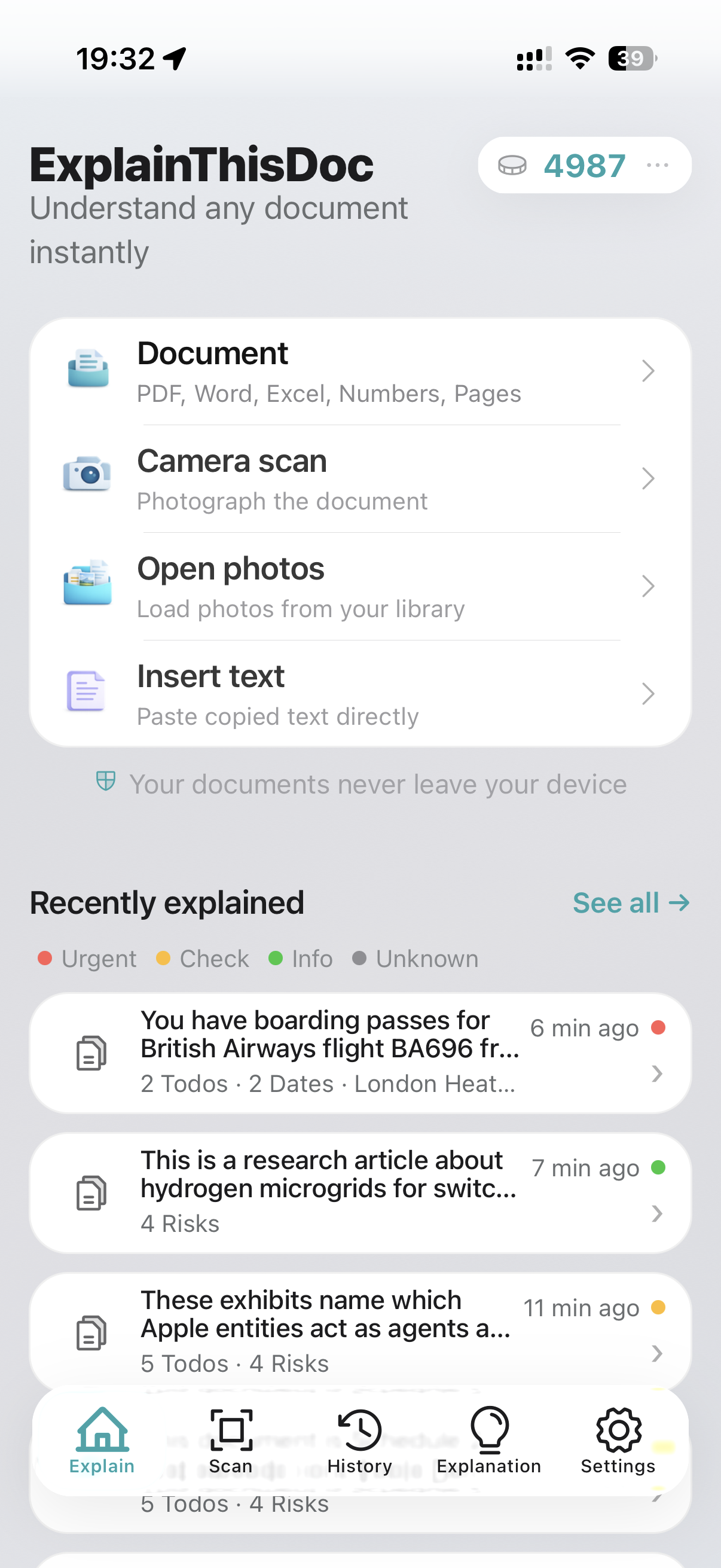
Home screen with import options and history
Start with a file, camera scan, photo, or pasted text.

Problems We Solve

Where users lose time or carry risk

Unclear technical language

Problem: Key information is buried inside long text blocks. Solution: The app gives you a simple summary plus a full plain-language explanation.

Unclear required action

Problem: Users often do not know whether immediate action is needed. Solution: Risks, action items, dates, and locations are separated and prioritized.

Fraud and phishing risk

Problem: Fake messages can look credible at first glance. Solution: Suspicious patterns are highlighted to help prevent data and money loss.

Poor retrievability

Problem: Earlier analyses get lost in daily routines. Solution: History is searchable, filterable, and exportable including full explanations.

Manual handoff friction

Problem: Dates and locations often need manual transfer. Solution: Open dates in calendar and locations in maps directly.

Narrow document scope

Problem: Many tools only support a narrow set of document types. Solution: Works with invoices, notices, medical findings, bookings, articles, books, and more.

Urgency at a glance

A colored dot instantly shows how urgent a document is for you.

  • Red: action required.
  • Yellow: relevant to you, no immediate action required.
  • Green: not relevant to you.
  • Gray: not yet clear.

Positioning

Where ExplainThisDoc is stronger in daily use

ExplainThisDoc

  • Privacy first: original files stay on iPhone.
  • Clean app design with structured output.
  • Reconnect protection: running analyses are not lost on connection drops.
  • Strong value for money.

Many Standard Alternatives

  • Often unclear data paths and weaker transparency.
  • Output is frequently unstructured or hard to review.
  • Weaker focus on risks, dates, and concrete to-dos.
  • Less control over history and export.

Document Types

What can be analyzed?

Contracts and legal texts, medical findings, invoices, emails, scientific papers, news articles, and much more.

Analysis of a contract or legal text with risks and to-dos
Contracts and legal texts
Analysis of a medical finding with a clear summary
Medical findings
Analysis of an invoice or order confirmation with concrete action items
Invoices and orders
Analysis of an email with summary, risks, and dates
E-Mails
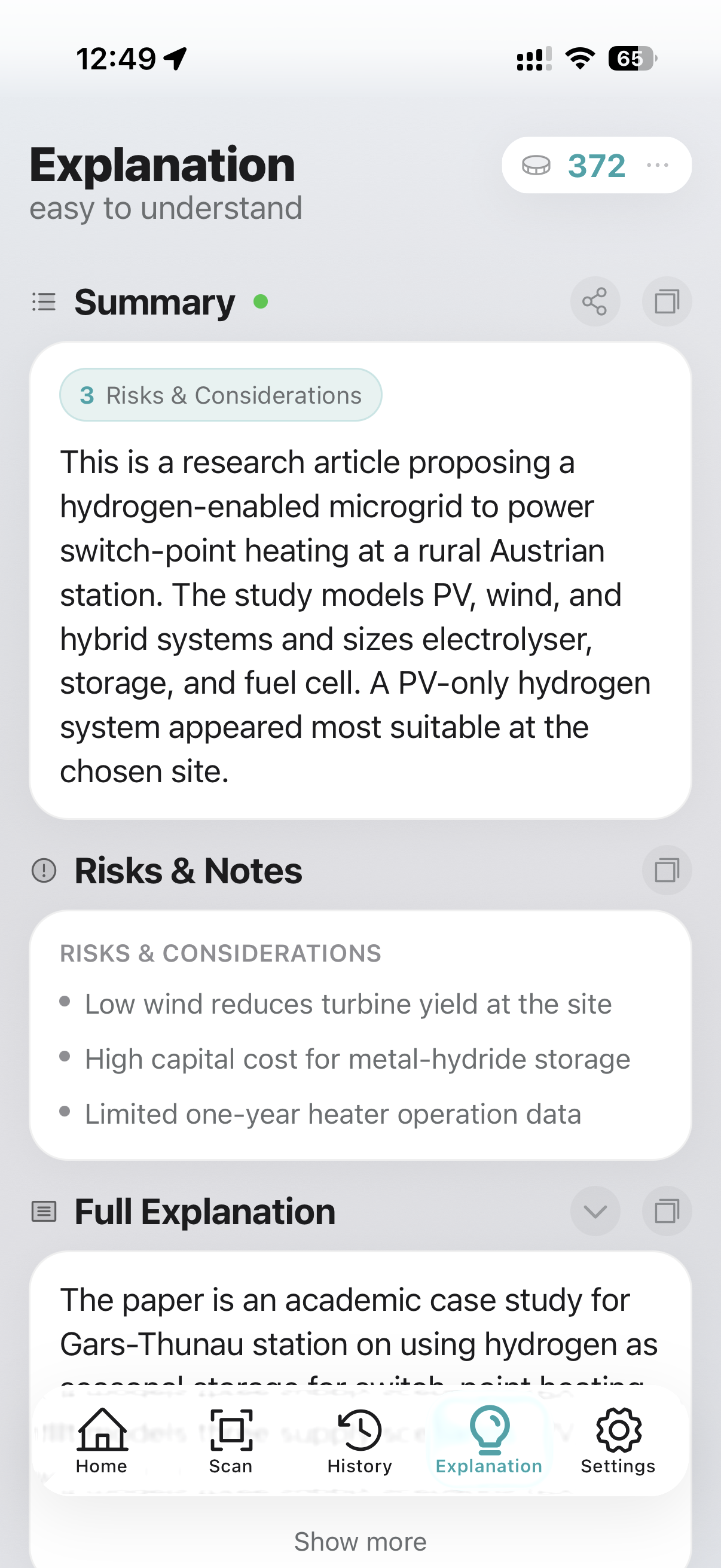
Analysis of a scientific paper in clear language
Scientific papers
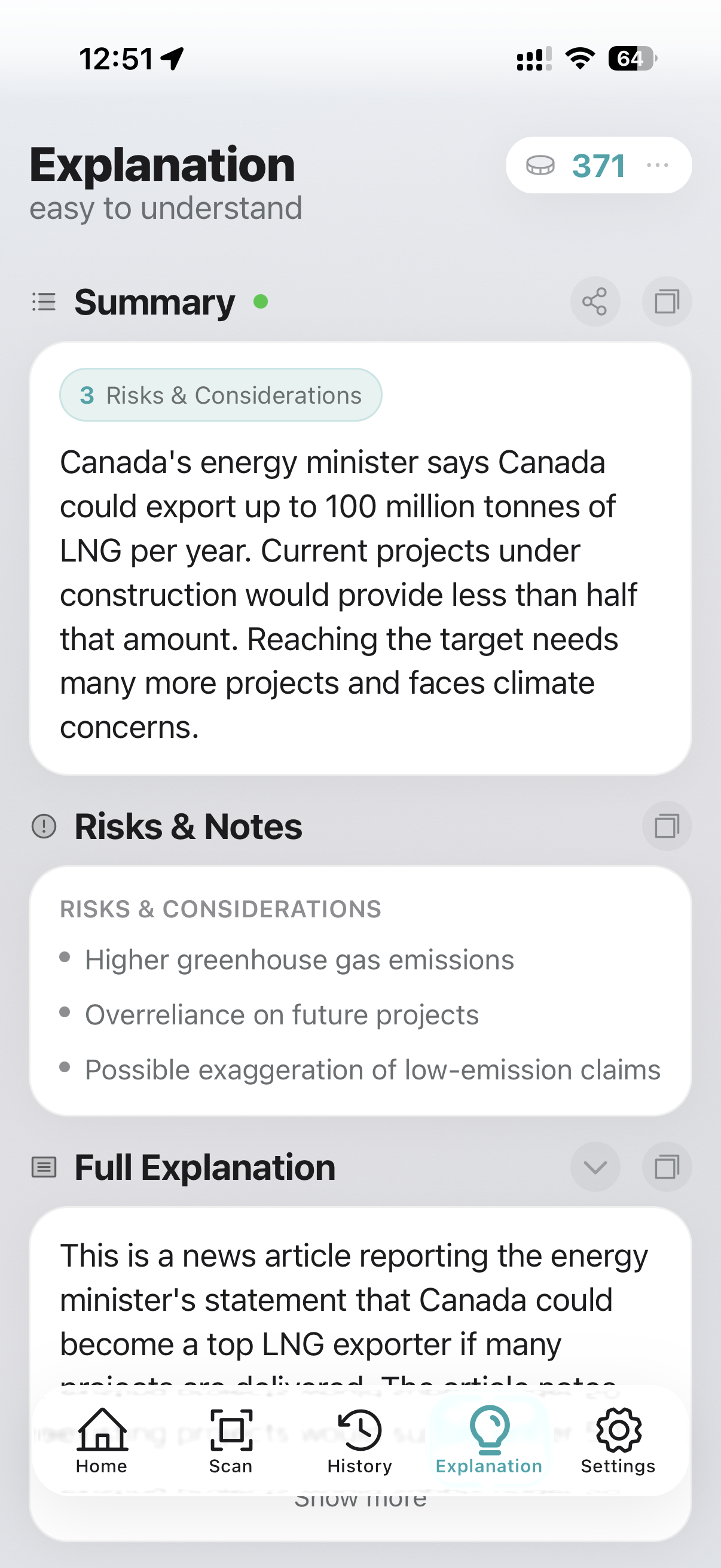
Analysis of a news article with risks and clear context
News articles

Safety first

Classify Suspicious Emails Instantly

Received an email asking for payment or personal data? Take a screenshot, check suspicious emails with the app, and detect fraud attempts immediately.

Suspected LinkedIn phishing asking for login credentials
Phishing: fake account upgrade
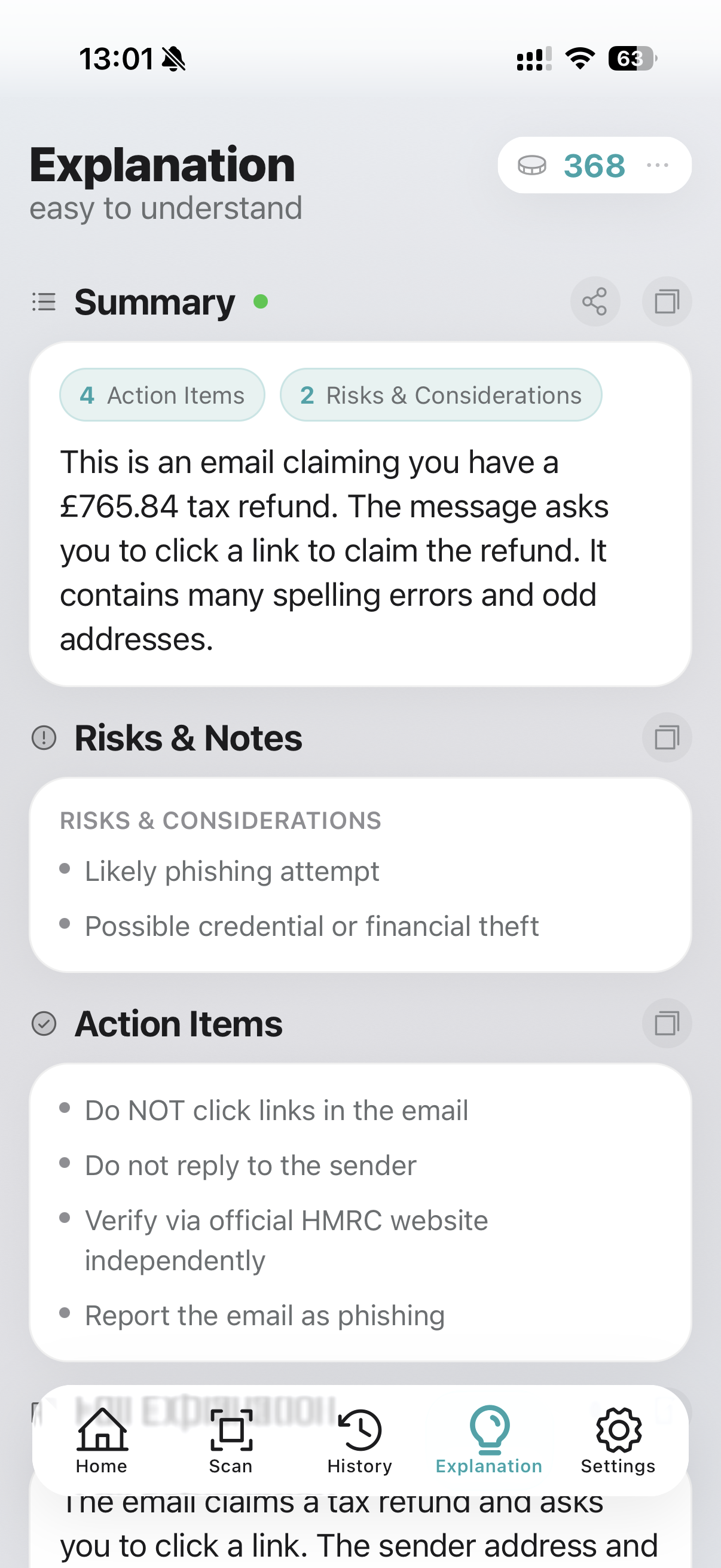
Suspicious email claiming a tax refund with a malicious link
Phishing: fake refund
Analysis of an extortion email demanding Bitcoin payment
Detect extortion emails
Suspected bank phishing with account lock threat
Phishing: fake bank alert

Workflow

From Document to Decision in 4 Steps

Step 1

Capture

Open a document, scan an image, or paste text directly. Text extraction runs locally on the device.
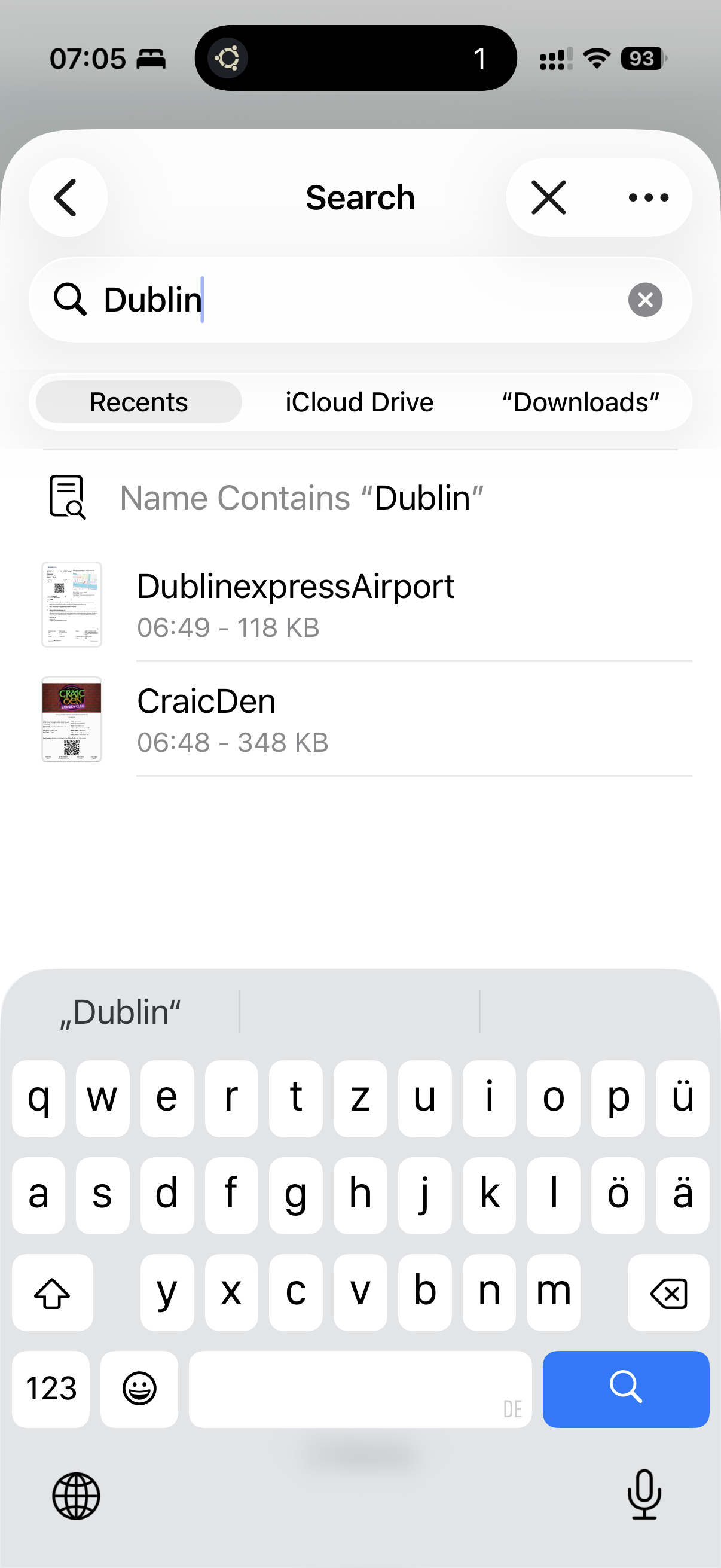
File picker for opening a document in ExplainThisDoc
Open document
Camera scan with confirmed photo in ExplainThisDoc
Scan image
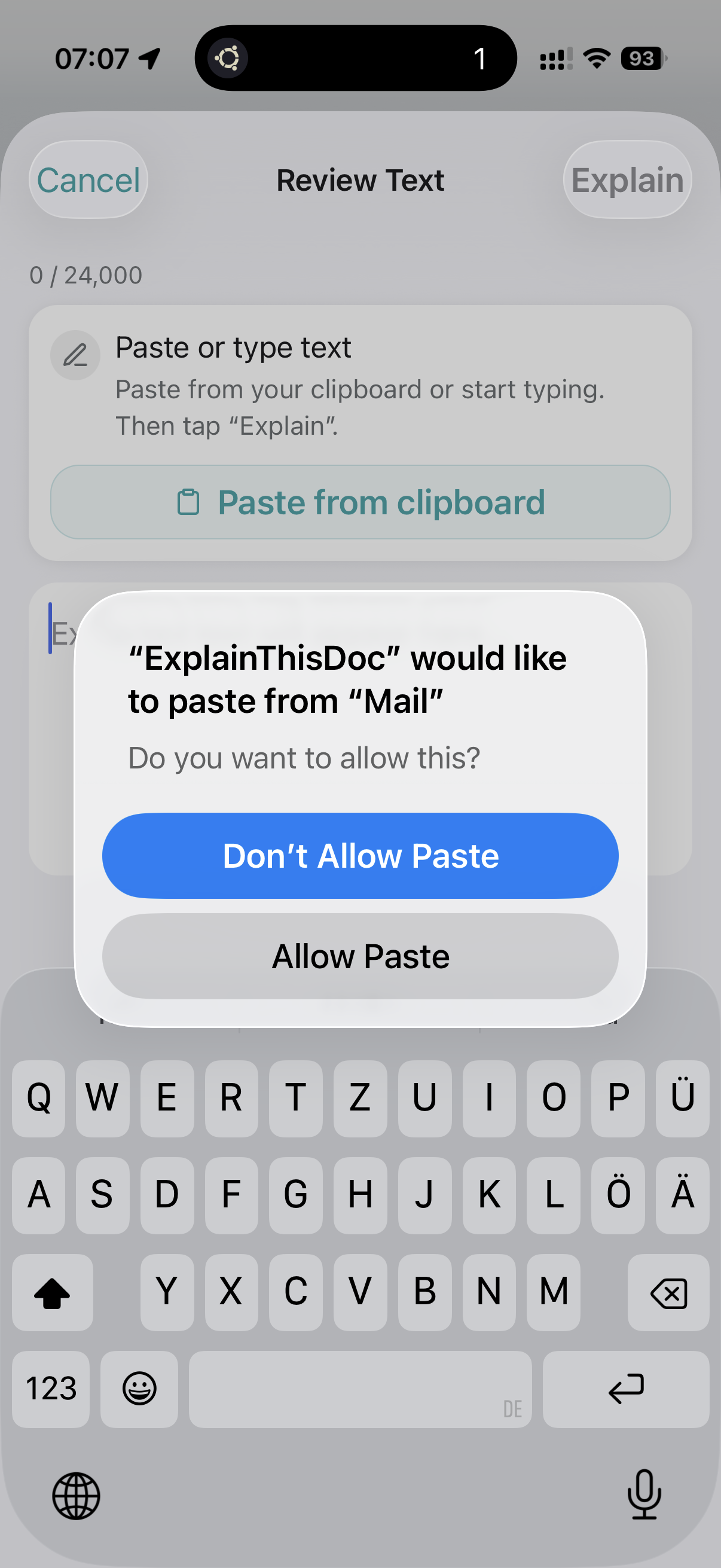
Paste text directly in ExplainThisDoc
Paste text

Step 2

Extract Locally, Analyze in Seconds

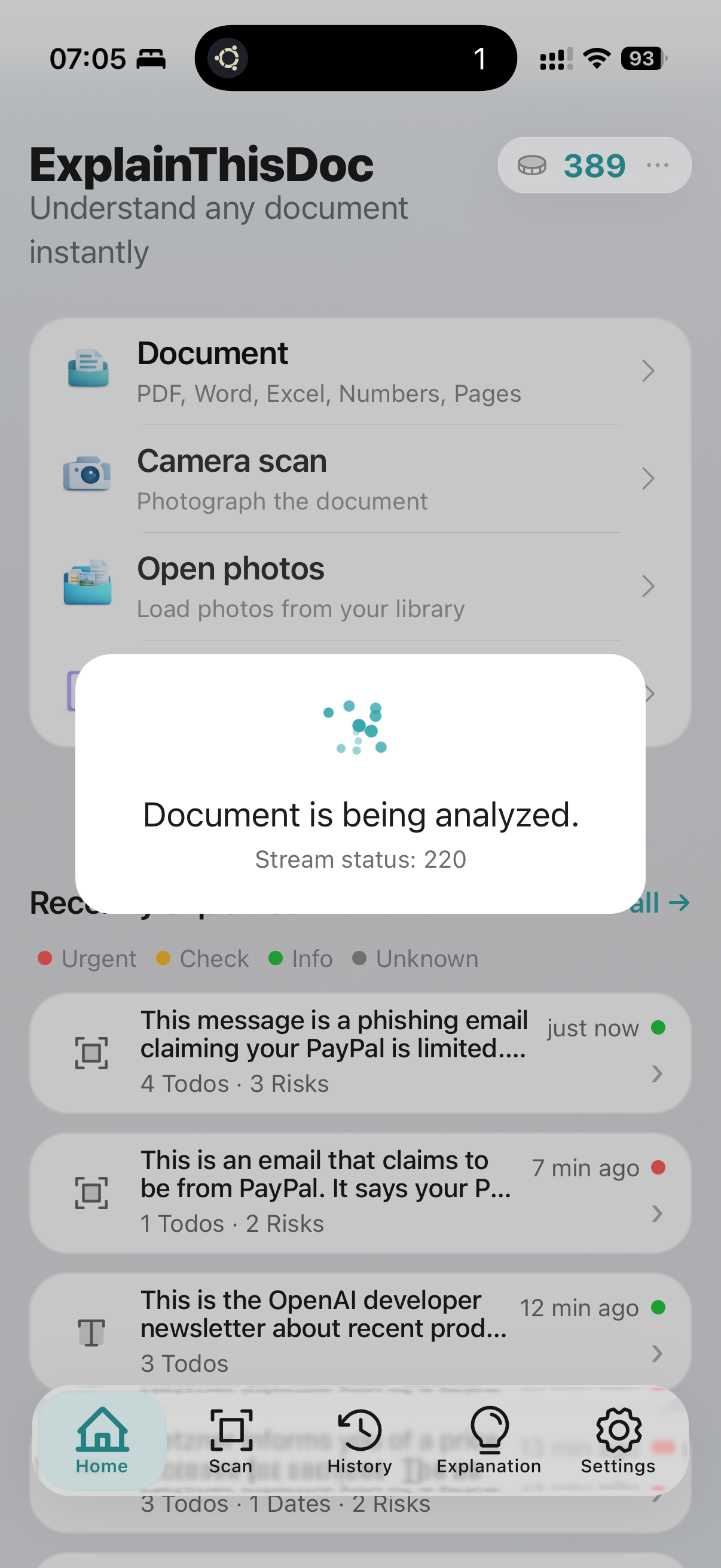
Text is extracted directly on the phone. Documents, photos, and images never leave the device. Extracted text is sent to AI and analyzed within seconds.
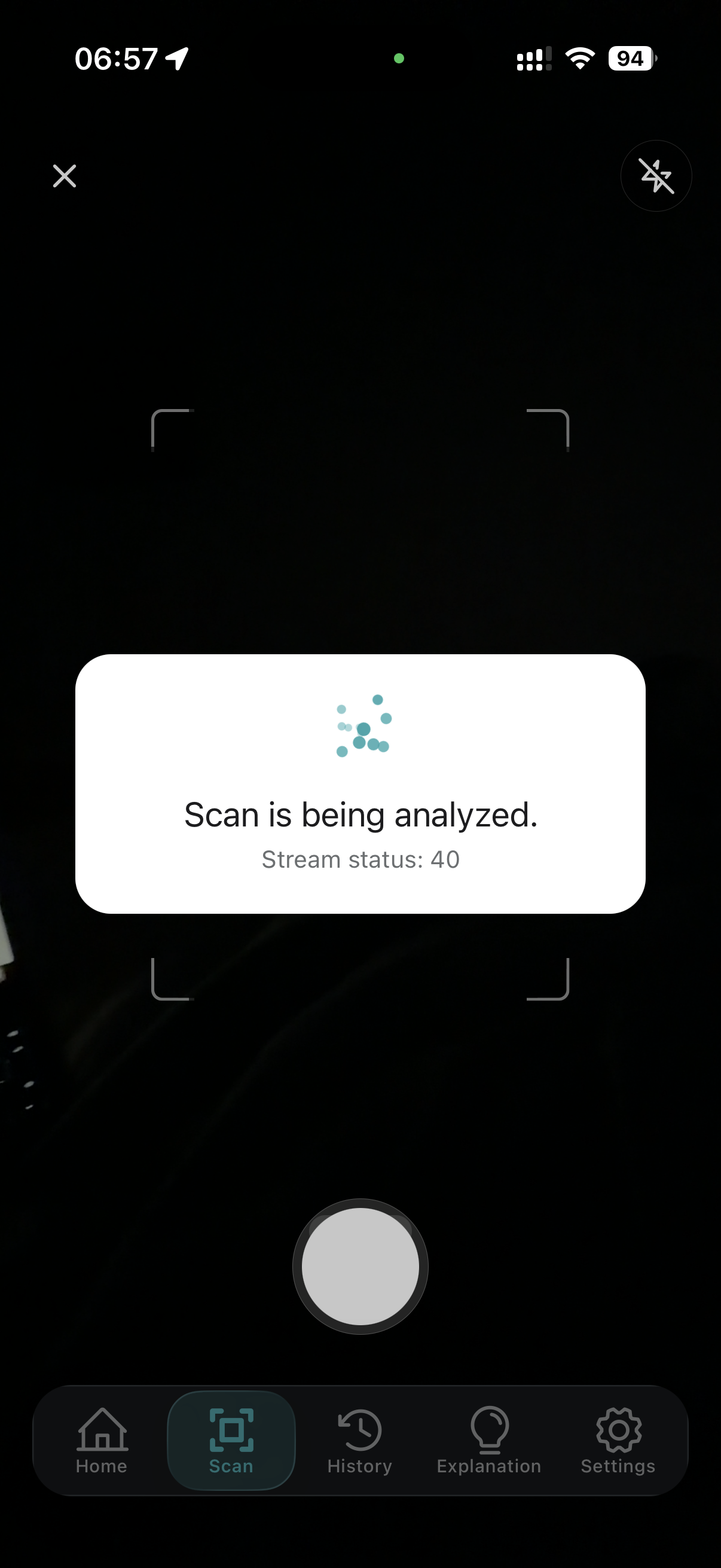
Camera scan during analysis with locally extracted text
Extract text locally
Analysis overlay after extracted text is sent to AI
Analyze in seconds

Step 3

Understand and Act

Explanations are written in simple language. Risks, notes, and to-dos are clearly highlighted. Dates and locations open directly in calendar or maps with one tap.
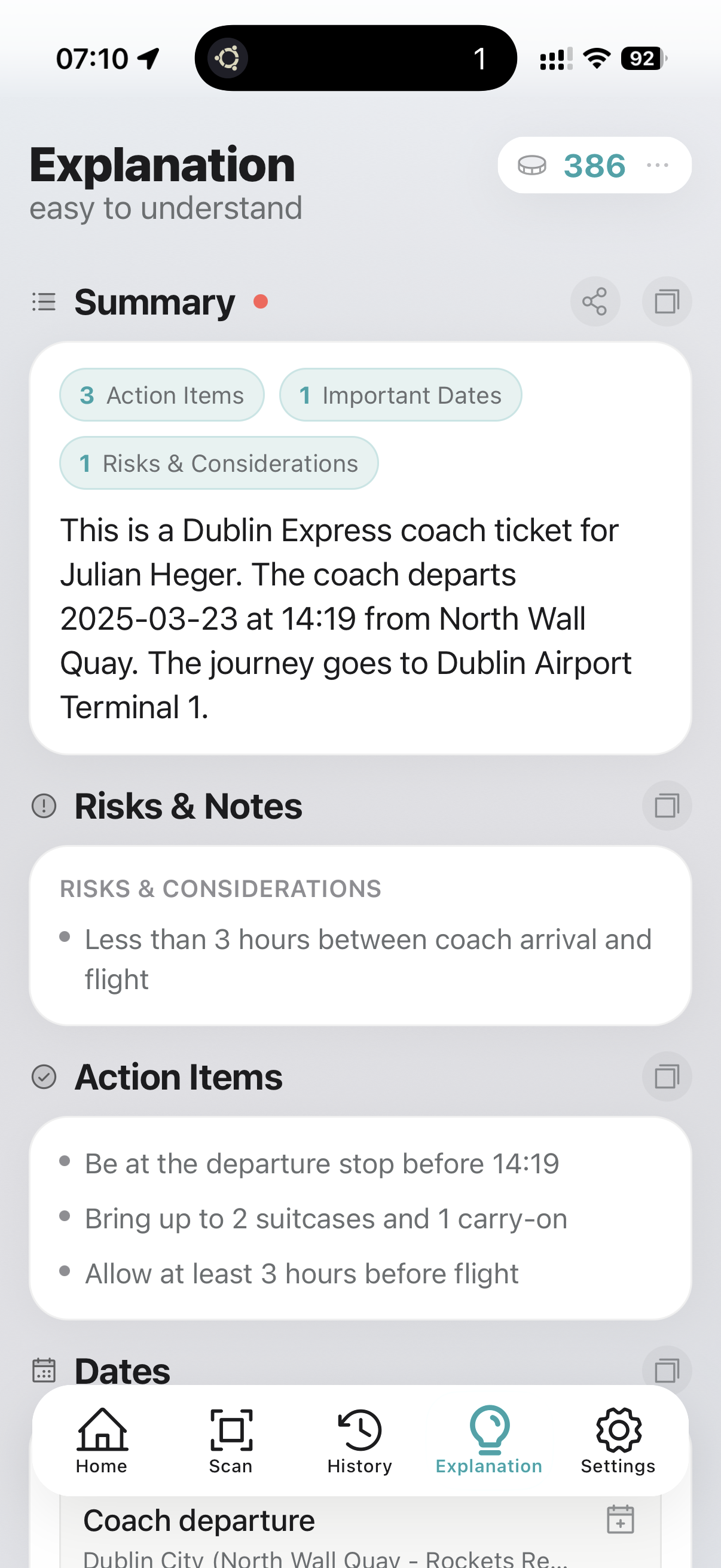
Explanation view with summary, risks, notes, and to-dos
Summary, risks, and to-dos
Explanation view with locations and full explanation
Locations and full explanation
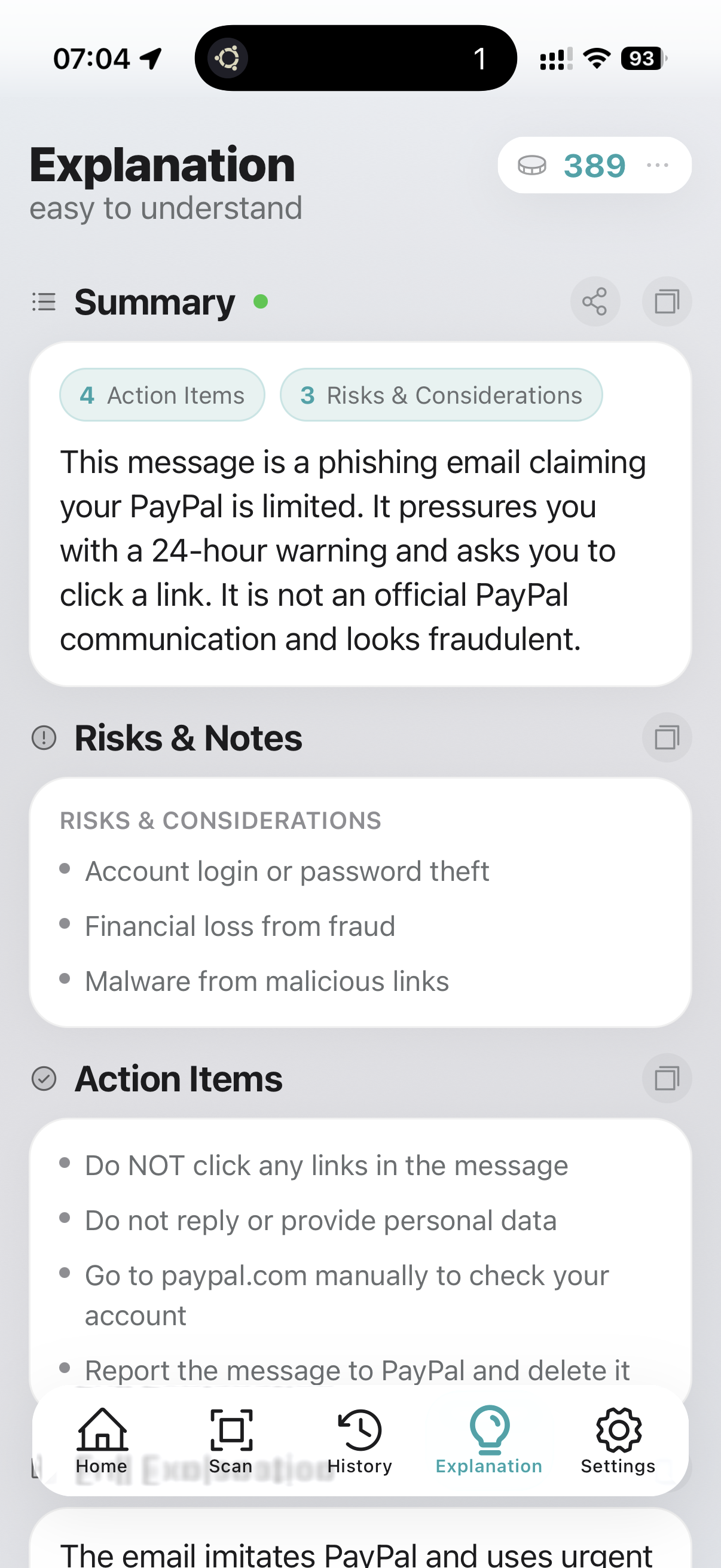
Explanation of a phishing case with clear risk display
Clear phishing warning
To-dos and full explanation for a phishing message
Concrete to-dos and notes
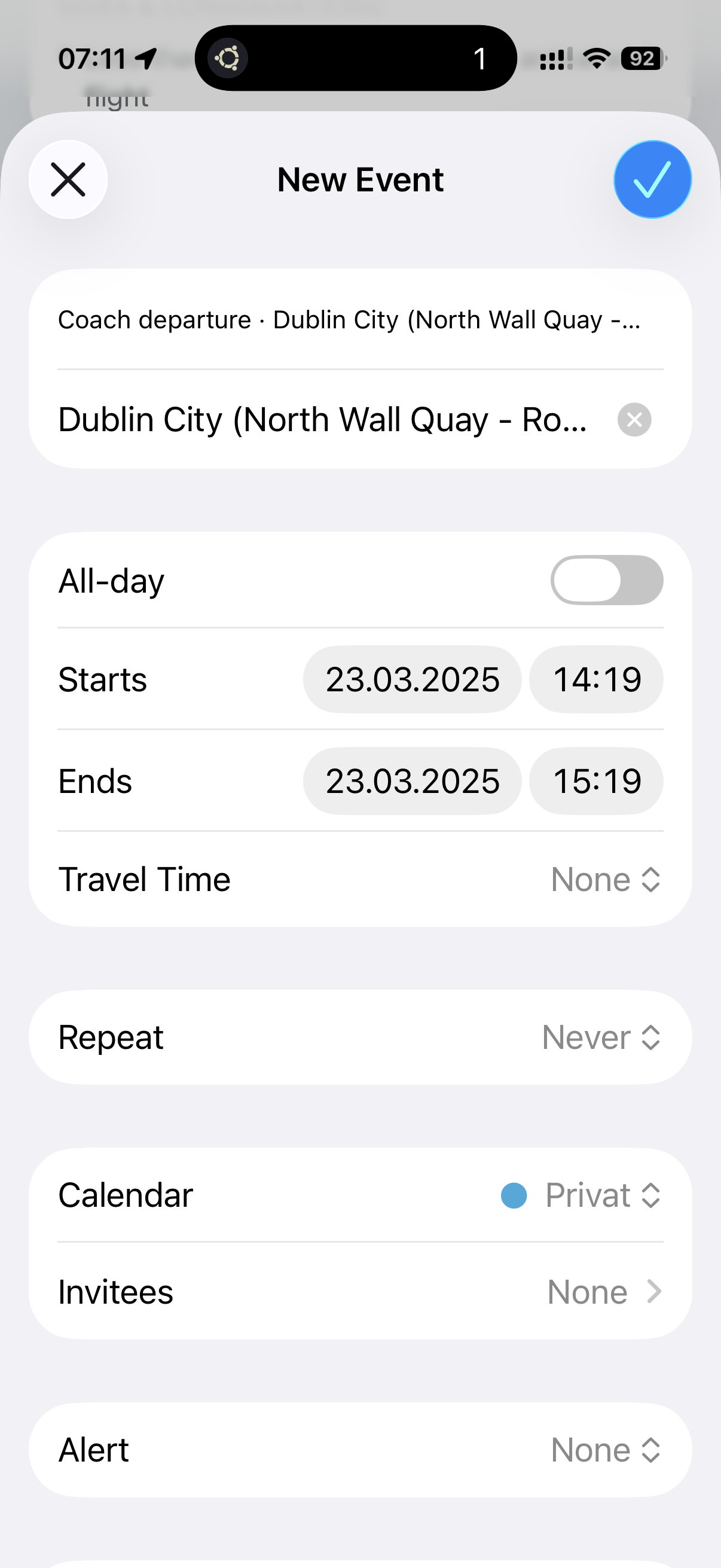
Date is transferred to calendar with one tap
Date to calendar
Location opens directly in maps with one tap
Location to maps

Step 4

Search History Fast

All analyses can be filtered and searched, so you can find everything quickly.
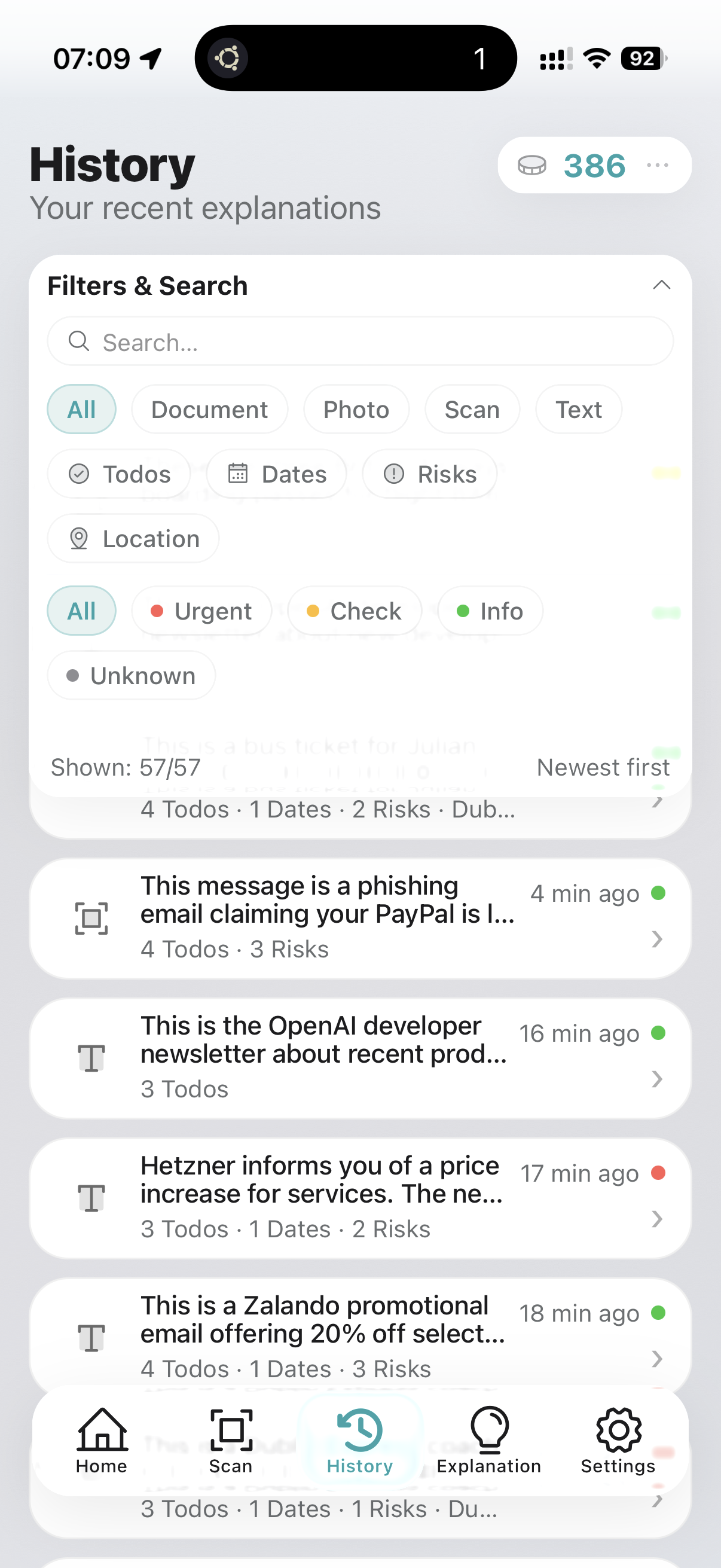
History with expanded filters and search field
Filters and search
History list for fast access to all analyses
Find everything quickly

Try ExplainThisDoc with your next document.

When a document matters, clarity matters. Get ExplainThisDoc and decide faster, safer, and with less effort.

Download on the App Store

Privacy first. Structured explanations. Exportable history.

Download on the App Store